> For the complete documentation index, see [llms.txt](https://rush-odt.gitbook.io/untitled/llms.txt). Markdown versions of documentation pages are available by appending `.md` to page URLs; this page is available as [Markdown](https://rush-odt.gitbook.io/untitled/notifications/about-notifications.md).
# About Notifications
#### Overview
This article is about the **Notifications** section of the Rush app. It covers different features provided by Rush for store owners. These features are constantly improved and updated to cater to the needs of modern-day brands.
#### Importance
The **Notifications** section of the Rush app is important because:
* It provides integration options with different apps to share order and shipping updates.
* It acts as a one-stop-shop for all integrated notification providers.
#### Features
There are different integration features provided in this section. Each of these integrations is supported by a different subscription plan. Let’s explore these integrations as per the subscription plan:
#### Free
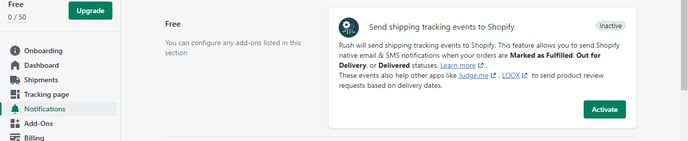
Once you click on **Notifications** from the navigation sidebar on the left, the first thing you see is the section labeled **Free** are:
**Send shipping tracking events to Shopify** widget next to it.
This integration is made available for all Rush clients and that’s why it’s located in the **Free** section.
#### Growth
Here’s a list of integrations available for all Growth plans:
* PayPal tracking integration (in development)
* Smart Email Notifications
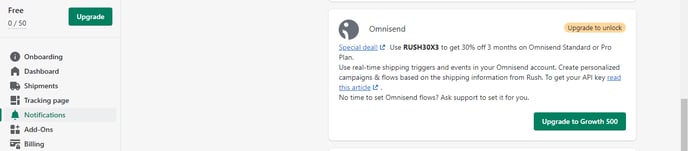
* Omnisend
* Klaviyo Integration
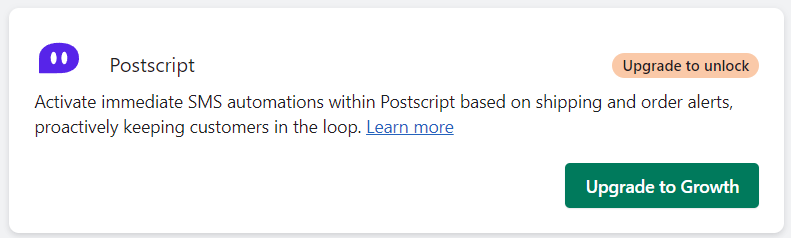
* Postscript
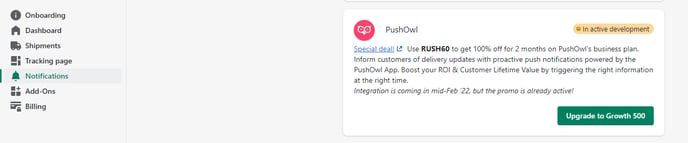
* PushOwl (in development)
Let’s explore what these apps offer once integrated with Rush:
**Paypal tracking integration (in development)**
This integration is still in beta testing mode. Once fully functional, it will help Rush clients sync tracking numbers with PayPal. It is aimed to help:
* Build trust
* Lower rolling reserve
* Reduce the risk of chargebacks
**Smart email notifications**
With Rush smart email notifications, you can inform your customers of delivery updates proactively. All needed emails are one click away. It is aimed to:
* Boost your ROI
* Increase customer lifetime value by triggering the right information at the right time.
Learn how to activate these notifications in the article [Activate Rush Smart Email Notifications](https://support.rush.app/activate-rush-smart-email-notifications).
**Omnisend**
With this integration, you can use real-time shipping triggers and events to send to your customers. It also helps to create personalized flows and campaigns based on shipping information shared by Rush.
* To learn more about this integration, refer to the article [Integrating Omnisend and Rush](https://support.rush.app/integrating-omnisend-and-rush)
* Refer to the article [Rush Special Deal: 30% Off for Omnisend Users ](https://support.rush.app/rush-special-deal-30-off-omnisend-use-rush30x3)and learn how to avail of the special deal offered by Rush for this integration.
**Klaviyo integration**
This integration helps you with using real-time shipping and order events from Rush to create personalized flows and proactive customer notifications.
Go to the article [Integrating Klaviyo and Rush](https://support.rush.app/integrating-klaviyo-and-rush) to learn more about this integration.
**PushOwl**
Rush offers a great deal for this integration as it will help you send push notifications to your customers powered by the PushOwl app.
Check out the article [Rush special deal - 100% OFF for 2 months - PushOwl use RUSH60](https://support.rush.app/rush-special-deal-100-off-for-2-months-pushowl-use-rush60) to learn how to apply the code to get the deal.
**Postscripts**
Rush offers personalized SMS notifications within Postscript for shipping and orders to keep customers informed. \
Refer to this support article: [Postscript Integration with Rush](https://support.rush.app/postscript-integration-with-rush?utm_source=app.rush.app\&utm_medium=app.rush.app)
#### Advanced
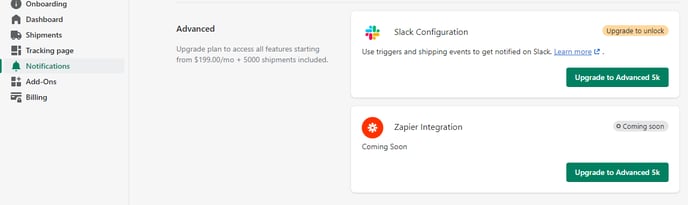
Scrolling down to the end of the **Notifications** section, you’ll find the integrations available on the **Advanced** subscription plan. These integrations are:
* Slack Configuration
* Zapier Integration (coming soon).
Let’s explore these integrations:
**Slack configuration**
With this integration, you can centralize all notifications and collaborate with your customers for queries, social media campaigns, and/or tech support.
Refer to the article [Integrating Slack With Rush](https://rush-odt.gitbook.io/untitled/notifications/support.rush.app/integrating-slack-with-rush) for more information.
**Zapier integration (coming soon)**
This integration is in the development phase right now and will be available soon. Once functional, it will allow you to integrate multiple apps and automate workflows.
#### Contact us
Feel free to contact us in case of queries and feedback.